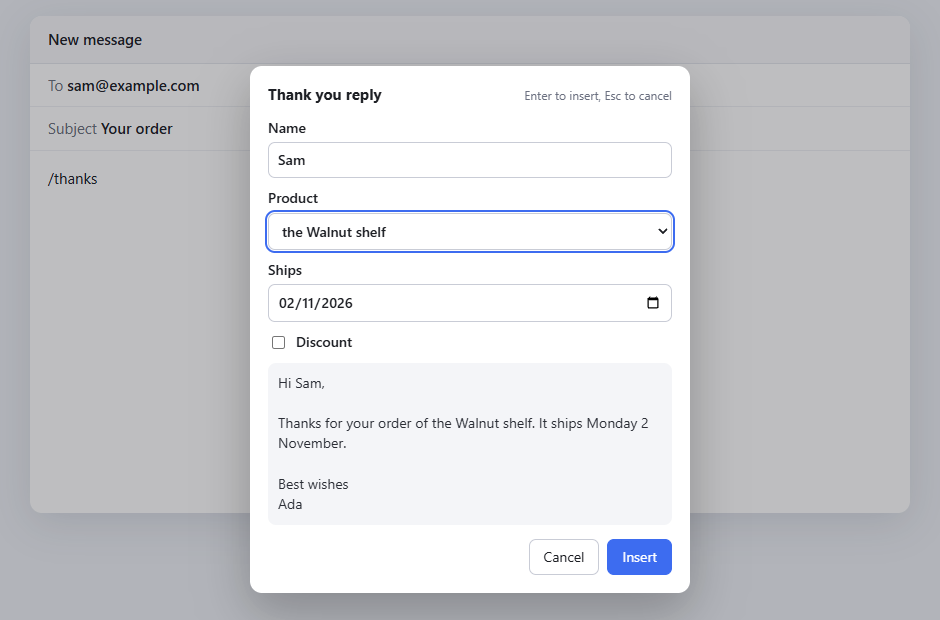
Type a short code like /thanks and Typefill puts in your whole reply, with fill-in boxes for the parts that change. Free, with no limits, and what you type never leaves your browser.
Works in Chrome, Edge, Brave and Firefox.
No snippet limits, no daily caps on forms, no account.
Gmail, Outlook, LinkedIn, Slack, WhatsApp, Teams, Google Docs, Google Sheets and nearly every box on the web.
Text boxes, dropdowns, date pickers and parts you tick on or off, filled in once before the text goes in.
Today's date in any format, what you last copied, and the caret right where you'll type next.
Bold, italic, links, lists and pictures, kept when they go into an email.
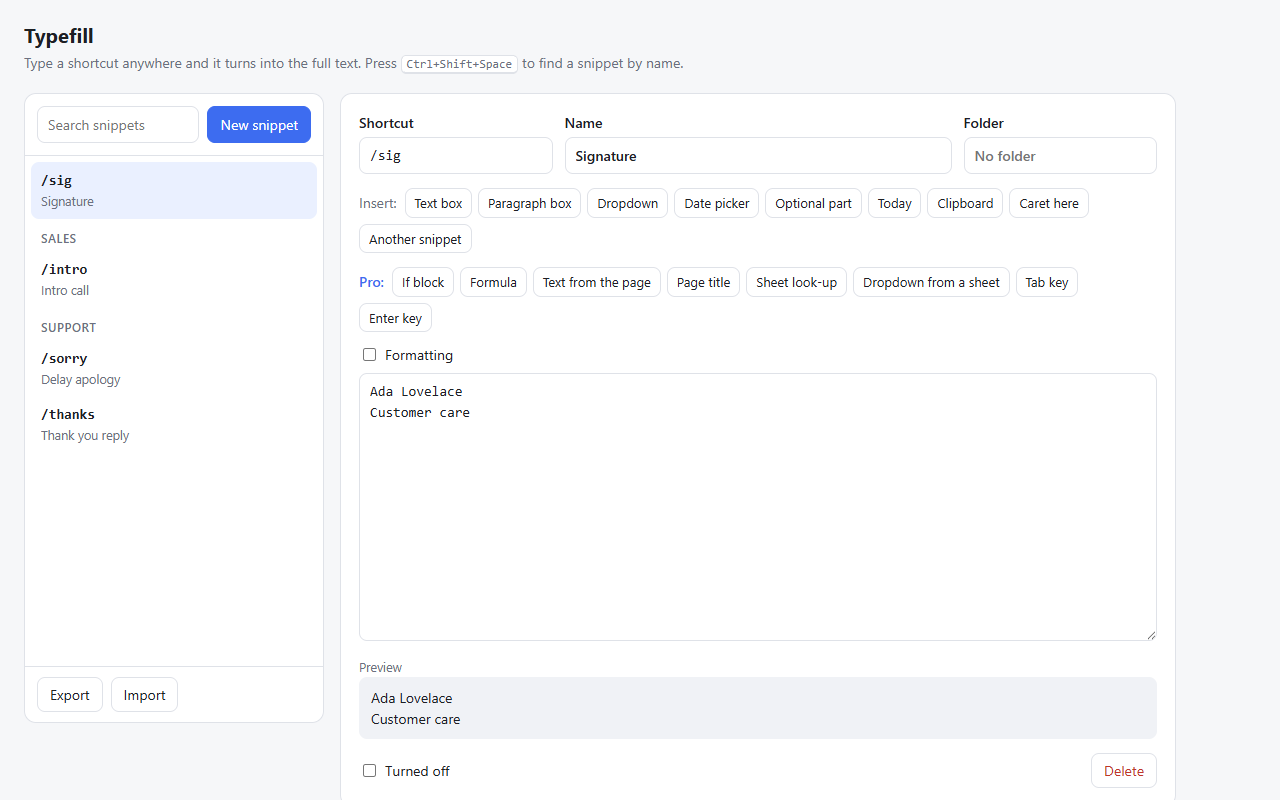
Press Ctrl+Shift+Space to find a snippet by name when you can't remember its shortcut.
Synced through your own Chrome or Firefox account. Never stored on a server of ours.

Write a snippet, pick a shortcut, and click a button to add a text box, a dropdown or a date. A live preview shows exactly what will go in.
Moving from Text Blaze? Bring your snippets across in one go, folders and all.
Pro is one payment, yours to keep with every update. No subscription.
14-day refund, no questions asked. Pro licence
Typefill watches for your shortcuts on the page itself. Nothing you type is sent anywhere. Your snippets stay in your browser and your own browser sync. See the privacy page.
Yes. No limit on snippets, length or how often you use forms. Pro adds extra features, it never takes free ones away.
You pay once and keep Pro version 1 with every 1.x update. If Typefill ever closes, a final update keeps Pro working for good on the browsers it's active on.
Yes, on up to 3 browsers at once. You can move it by deactivating a browser on the Typefill page.
The free version is, under the GPL-3.0 licence, on GitHub. Pro is a separate, paid part.
Email support@typefill.com or open an issue on GitHub.